How to work with long loops without getting lost in Ableton
A long loop can contain several ideas, intensity changes, and useful rests. In Ableton it is best to listen to it in its entirety before converting it into a short repeat. This way you can choose the fragments that really accompany your project and preserve the variations that give it personality.

step by step
- Import the file into a separate track and listen to the entire track.
- Locate a section that fits your main pattern and work on a copy of the clip.
- Adjust the start and end of the repeat by listening to the join, not just by looking at the waveform.
- Save other useful fragments as alternatives for different parts of the arrangement.
An exercise for your project
Select a stable part for the main section and a more active part for a transition. Use both within the same project without forcing them to work simultaneously. This selection allows you to take advantage of a library without accumulating new files with each power change.
Take it to your next session
A loop library can offer several useful fragments for the same structure. Choose material compatible with your musical intention and listen to each file in its entirety before deciding how to use it.
What should you listen to?
Not all fragments need to be repeated. A detail that occurs only once can announce the end of a sentence or provide an answer. Listen to what it does before deciding whether to make it a loop. Repetition is an arrangement option, not the mandatory destination of any sample.
If it doesn't turn out as you expected
If the closing of the loop seems strange, check its duration and the sound you are cutting. If the sentence becomes monotonous, alternate fragments or leave breaks. Keep the original file intact and test within your clips and project versions.
Ableton Reference
PUT THE WORKFLOW TO USE
Explore sample libraries
A loop library can offer several useful fragments for the same structure. Choose material compatible with your musical intention and listen to each file in its entirety before deciding how to use it.QUICK ANSWERS
Frequently asked questions
KEEP BUILDING
Related production guides
How to reduce tracks to finish an Ableton project sooner
When an Ableton project accumulates too many tracks, each decision can become slower. Temporarily reducing the arrangement helps recognize what supports the idea and what only adds work. You don't need to delete valuable material to take this test: keep a complete version of the Set.
How to build a transition with noise samples in Ableton
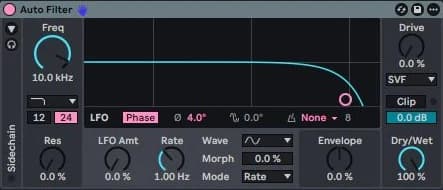
A noise sample can anticipate a section if it accompanies an already understandable transition. In Ableton you can practice with a single texture and simple volume or filter movements. The intention is to direct the energy to one point, not to fill every gap in the arrangement.
How to import multiple samples to separate tracks in Ableton
When importing multiple samples into Ableton, first decide whether you want a sequence on a single track or simultaneous sounds on different tracks. That decision changes what you can edit and mix later.