How to open an Ableton project without losing its samples
Opening an Ableton project correctly starts before double-clicking: you need the full folder, a compatible version of Live, and the required devices. The ALS file alone may not contain the project samples.
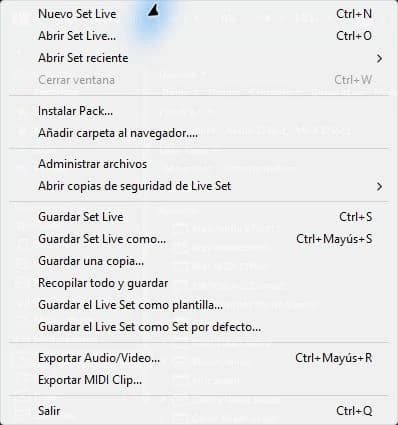
step by step
- Unzip the entire package into a working folder. It preserves its structure and the original downloaded copy.
- Read the version, edition and plugin requirements. Don't assume that an earlier version will open a Set created in a later one.
- Open the ALS and check for missing media or device warnings before playing.
- If samples are missing, use file management to locate the provided folder. Confirm the results before saving a copy.
Guided practice
Open a copy of the project, locate a track, and check its clip, device, and audio file. Make a small modification and save with another name; so you can compare with the original.
Take it to your next session
Before purchasing a project on Technopirata, review its requirements and content. Then save the original package and use copies to learn, edit, and replace sounds.
Don't save over the original when resolving missing files
Open a copy when you receive a project looking for samples or plugins. Distinguish missing audio file warnings from device warnings: they are different dependencies and require different solutions. Locating a sample does not install the missing synth on another track.
After recovering the files, listen to the main parts and save an identifiable version. Keep the original folder until you are sure that the new project meets what you need. When purchasing, check the published requirements and do not assume that a template includes licenses for plugins or external resources.
If it doesn't turn out as you expected
Searching for a file with the same name does not guarantee that it is correct. Compare duration and content. An absent plugin requires resolving its installation or working with an authorized renderer, not just locating samples.
PUT THE WORKFLOW TO USE
View Ableton projects
Before purchasing a project on Technopirata, review its requirements and content. Then save the original package and use copies to learn, edit, and replace sounds.QUICK ANSWERS
Frequently asked questions
KEEP BUILDING
Related production guides
Collect All and Save in Ableton: save project samples
Collect All and Save collects referenced files in the Ableton project folder. It is useful for moving a session, but does not automatically package all possible licenses, plugins, or external dependencies.
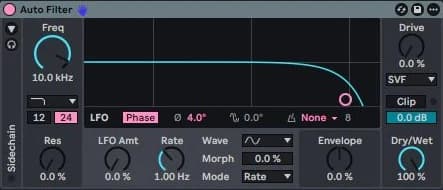
How to automate a filter in Ableton step by step
Automating a filter in Ableton means saving how its control changes over time. Automation must have a function: introduce a section, clear a space, or create a recognizable transition.
How to add your samples folder to the Ableton browser
Adding a samples folder to Ableton's browser creates convenient access to your files; it doesn't make that folder part of every project. Use a stable location and preserve the original organization of the library to avoid broken references.