How to automate a filter in Ableton step by step
Automating a filter in Ableton means saving how its control changes over time. Automation must have a function: introduce a section, clear a space, or create a recognizable transition.
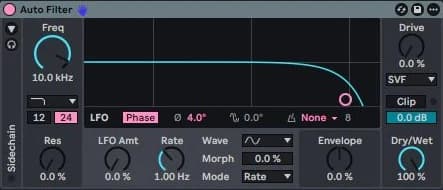
step by step
- Load a filter on a demo track and check the sound with a fixed setting.
- Activate the automation view in Arrangement. Select the parameter you want to draw.
- Create two points with moderate values and listen to the transition. Add more points only if you need to change the shape.
- If you move the parameter manually and it stops following the curve, use Re-enable Automation to recover its reading.
Guided practice
Draw a four-bar gradual opening over a texture. Compare it to a single-bar opening. Choose according to the role of the transition and adjust the resonance to avoid annoying peaks.
Take it to your next session
Ableton projects allow you to see curves in context. Study a single transition and recreate it with your samples to understand what it adds before using it throughout the entire track.
Draw the destination of the movement first
Decide at which point the filter should be open or closed and draw a transition between those states. A simple curve allows you to hear if the idea works before adding many points. Prevents automation from going through extreme values just because the control allows it.
Listen to the transition with the rest of the project and pay attention to the perceived loudness. Opening a filter can make a section appear stronger or brighter. If the change is abrupt, modify the curve or range; you don't need to add another processor to correct excessive automation.
If it doesn't turn out as you expected
The A key may have another function if the computer's MIDI keyboard is active or if you are typing. Use visible automation control when in doubt. Do not confuse Arrangement automation with modulation of a device.
PUT THE WORKFLOW TO USE
View Ableton projects
Ableton projects allow you to see curves in context. Study a single transition and recreate it with your samples to understand what it adds before using it throughout the entire track.QUICK ANSWERS
Frequently asked questions
KEEP BUILDING
Related production guides
How to Use Auto Filter to Darken Samples in Ableton
Filtering a sample allows you to change the space it occupies without replacing it with another file. In Ableton, an opening or closing filter can help separate sections and make room for a voice or melody. Start with a simple, audible movement.
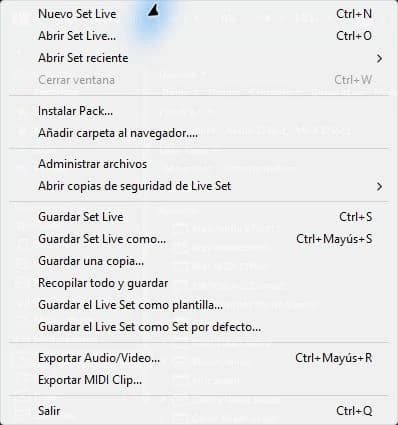
How to open an Ableton project without losing its samples
Opening an Ableton project correctly starts before double-clicking: you need the full folder, a compatible version of Live, and the required devices. The ALS file alone may not contain the project samples.

How to group and order tracks in a project in Ableton
Grouping tracks in Ableton helps you control sets of sounds and read your project. You can bring together percussion, bass, or vocals, but it's worth distinguishing between visual organization and shared processing.