How to add your samples folder to the Ableton browser
Adding a samples folder to Ableton's browser creates convenient access to your files; it doesn't make that folder part of every project. Use a stable location and preserve the original organization of the library to avoid broken references.
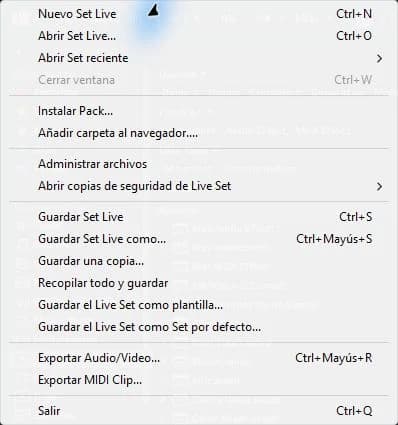
step by step
- Unzip the library into a stable working folder. Check what formats it contains and read its license.
- In Places in the Ableton browser, use Add Folder and select the folder containing the samples.
- Wait for its content to appear. Expand a subfolder and select a WAV to listen to with cueing enabled.
- Drag a sample onto an audio track and save the Set to a different project folder.
Guided practice
Adds a small folder with three sounds: kick, percussion and texture. Locate all three from Ableton without using the system explorer. Drag just the kick into the project and check that the other two samples are still available in the browser.
Take it to your next session
You can now explore Technopirata's sample libraries by musical function. Choose material that completes a need for your project and check the formats included before purchasing.
Adding a folder is not copying its contents
Browser access lets you get to your samples, but it doesn't automatically make each file part of the project. Think of the folder as a work location: if you move it later, projects that depend on it may need to locate the files again.
Create an organization that you can maintain, with clear names for libraries and your own material. Don't mix temporary downloads with your main collection. When you finish an important idea, use project file management to preserve the samples you actually used, as well as keeping your original library intact.
If it doesn't turn out as you expected
If the folder appears empty, check that the files are unzipped, accessible, and in a supported format. If it is on an external drive, that drive must be connected. Don't re-add the entire drive to resolve a subfolder issue.
PUT THE WORKFLOW TO USE
Explore sample libraries
You can now explore Technopirata's sample libraries by musical function. Choose material that completes a need for your project and check the formats included before purchasing.QUICK ANSWERS
Frequently asked questions
KEEP BUILDING
Related production guides
How to listen to samples at the tempo of your project in Ableton
Listening to an isolated sample and listening to it within a project are different tests. A loop can look cool on its own and compete with the kick when you put it into Ableton. Use pre-listening to filter options and an audio track to make the final decision.
How to organize samples with Collections in Ableton
Ableton Collections are visual access points to find popular material. You can create your own logic without renaming or reorganizing the original files of a library. The useful thing is that each color responds to a work decision.
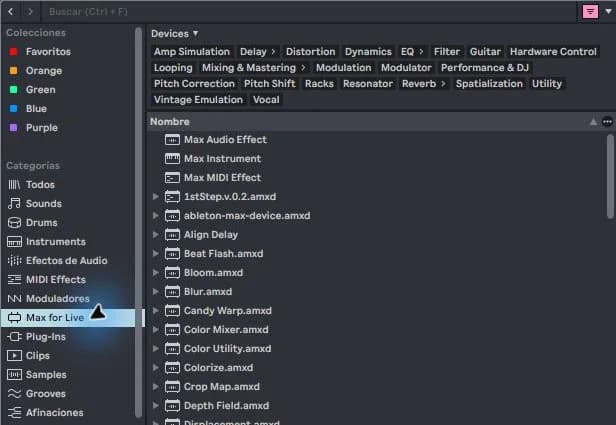
How to use a Max for Live LFO in Ableton
An LFO moves a parameter periodically. In Ableton you can use it to give movement to a filter, width or effect control. Learning begins with a small, audible modulation; Moving too many parameters at once makes it difficult to know which one changes the sound.