How to Open a VST on an Ableton MIDI or Audio Track
An instrument converts MIDI notes into sound; An effect transforms sound that already exists. That difference explains why dragging a plugin onto any track doesn't always produce the expected result. In Ableton you can check the signal path from left to right in the device chain.
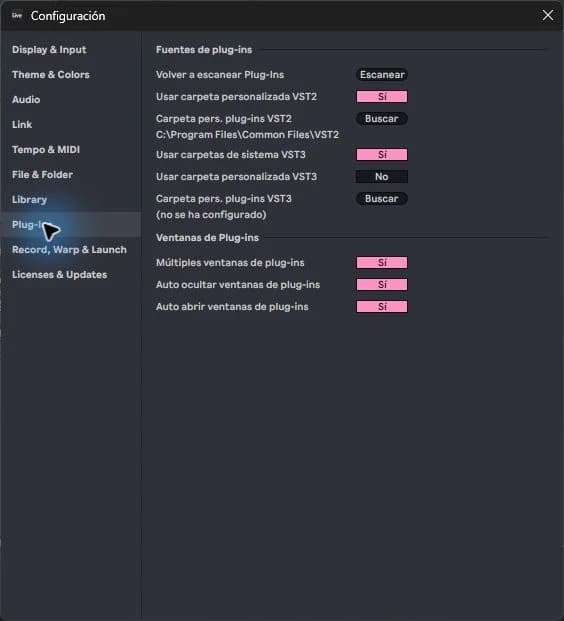
step by step
- Create a MIDI track for a synthesizer. Load the instrument from Plug-Ins and open an empty MIDI clip.
- Draw some notes and activate playback. If there is no sound, check the track output and that the clip contains notes within the instrument's range.
- To test an effect, place a sample on an audio track and add the plugin to that track.
- On a MIDI track with an instrument, places the audio effects after the instrument. Compare with the effect on and off at a similar volume.
Guided practice
It uses four repeated notes for the instrument and a short loop for the effect. Avoid testing ten parameters at once: change one, listen to the result, and return to the previous value before trying another.
Take it to your next session
Opening an organized project is one way to study these chains. Review your tracks and locate which device generates the sound and which ones process it; then play the same structure with your own samples.
Follow the signal before changing settings
A MIDI pattern contains instructions, not a recording of the plug-in sound. That's why you can keep the same notes and radically change the result when replacing the instrument. A sample, on the other hand, already contains audio and can be played without an additional synthesizer.
Try the same melody with two instruments on separate tracks and compare their ranges. If one seems quiet, check the pitch of the notes and their envelope. Avoid blindly compensating by turning up the volume: first confirm that the track is generating a useful signal and that it is reaching the correct output.
If it doesn't turn out as you expected
A MIDI track without an instrument can show activity without generating audio. On the other hand, an audio effect does not replace the missing synthesizer. See where the signal stops before turning up all the volumes.
PUT THE WORKFLOW TO USE
View Ableton projects
Opening an organized project is one way to study these chains. Review your tracks and locate which device generates the sound and which ones process it; then play the same structure with your own samples.QUICK ANSWERS
Frequently asked questions
KEEP BUILDING
Related production guides
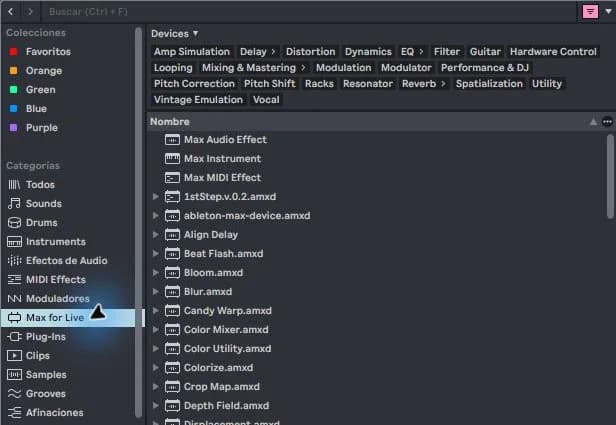
What is Max for Live in Ableton and what is it for?
Max for Live extends Ableton with devices that can generate sound, process audio, or transform MIDI. It is not a sample pack or other VST format. You don't need to program to get started: you can use existing devices and learn what they do within a track.
VST2, VST3 and AU in Ableton: what format does your project need
VST2, VST3 and AU are plugin formats; They are not sample types or quality levels. An Ableton project stores references to the devices it uses, and the format is part of that reference. This is why two installations of the same synthesizer can behave as different devices when opening a Set.
How to install a VST in Ableton Live
Installing a VST in Ableton Live has two parts: installing the plugin and allowing Live to find its compatible format. A standalone application that you open from the desktop does not guarantee that its VST version has also been installed. Start with just one instrument and see if it works before adding more.