How to create a reference track to mix in Ableton
A reference helps you remember the balance you're looking for while mixing an Ableton project. It's not about copying all your sounds or chasing your final volume. Choose a file that you can legitimately use and that has comparable musical function to your theme.

step by step
- Import the reference into a clearly identified track and prevent it from playing next to your mix during comparison.
- Check your routing and consider how any shared processing would affect it.
- Adjust the listening level so that the difference in volume does not dominate the decision.
- Compare one aspect at a time: kick-to-bass ratio, vocal presence, or percussion density.
An exercise for your project
Listen to a short fragment of your topic and another of the reference. Note a specific difference, such as a hat that is too distracting, and return to your project to correct it. Repeat only when you have made a decision; alternating without a clear question can become a distraction.
Take it to your next session
If you're looking to study balances, a compatible project allows you to listen to tracks and groups separately. Review your requirements and use the example to train decisions, not to copy settings indiscriminately.
What should you listen to?
Compare sections with a similar function. A reduced intro and a full chorus do not offer the same information about density. It is also worth accepting that different instruments and arrangements do not need the same balance. The reference guides your listening, but the composition of your project continues to rule.
If it doesn't turn out as you expected
If each comparison ends up raising all tracks, check the listening levels. If your mix improves on solo, go back to ensemble. Keep the reference out of the final export unless it is an authorized part of the work you are actually delivering.
Ableton Reference
PUT THE WORKFLOW TO USE
View Ableton projects
If you're looking to study balances, a compatible project allows you to listen to tracks and groups separately. Review your requirements and use the example to train decisions, not to copy settings indiscriminately.QUICK ANSWERS
Frequently asked questions
KEEP BUILDING
Related production guides
How to make space for a melody between your samples in Ableton
A melody can be lost because there are too many elements playing at the same time. Before adding more effects in Ableton, review the arrangement of your samples. Removing, shortening, or alternating a layer is often a direct way to get a main idea across.
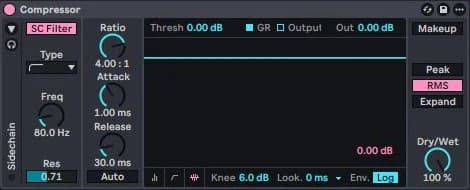
How to adjust attack and release of a compressor in Ableton
Attack and release influence how a compressor responds over time. To learn them in Ableton, use simple percussion and listen to the beginning of each beat and its recovery. You don't need a complex mixing chain to recognize those differences.
How to import multiple samples to separate tracks in Ableton
When importing multiple samples into Ableton, first decide whether you want a sequence on a single track or simultaneous sounds on different tracks. That decision changes what you can edit and mix later.