How to choose samples compatible with your project in Ableton
Choosing samples for an Ableton project is solving a musical need. More files do not guarantee a better idea. Before purchasing another library, identify if you are missing attack, movement, texture or a base to build on.
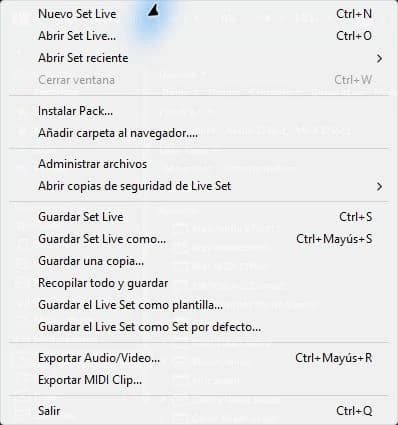
step by step
- Note the missing function in the array. Choose a single sound category to search.
- Listen to candidates in a short pattern and with comparable levels.
- Check format, length, tone where relevant and licensing conditions.
- Save a small selection and document which sample you used in the project.
Guided practice
Compare five samples for the same function and choose two finalists. Listen to them with bass, not just solo. If neither improves the pattern, return to the arrangement before continuing to download material.
Take it to your next session
Explore Technopirata's bookstores with a specific need in mind. Review their demos and content, and choose the one that complements the samples you already use.
Choose by function and compatibility
Before downloading another library, write down what you're really missing: beats, drum loops, textures or vocals. Compare the candidates within a specific idea. A flashy sample may not work for your arrangement if it takes up the same space as elements that already work.
Review the product requirements and license, as well as listen to their examples. The indicated tempo or key guides the search, but does not guarantee an automatic fit. A small collection that you know well can help you finish projects more than a huge number of unselected files.
If it doesn't turn out as you expected
The BPM or key of the name are clues, not absolute guarantees. A stronger loop may seem better at first and leave less space later. Also check compatibility with your Ableton edition when the package includes presets or projects.
PUT THE WORKFLOW TO USE
Explore sample libraries
Explore Technopirata's bookstores with a specific need in mind. Review their demos and content, and choose the one that complements the samples you already use.QUICK ANSWERS
Frequently asked questions
KEEP BUILDING
Related production guides

Your first track in Ableton: from Starter Pack to finished project
Finishing a first track in Ableton requires finalizing decisions. A Starter Pack may delimit the initial material, but the structure, balance and revision are still part of the work. This exercise brings together samples, projects, and easy delivery.
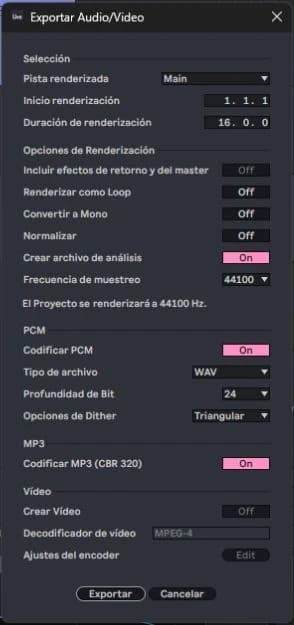
How to export aligned stems from Ableton
Stems are groups of audio prepared for another stage of work. In Ableton it is best to agree on what the recipient needs: individual tracks, groups, dry signals or included effects. Exporting everything without that agreement can result in files that are difficult to recombine.
How to add your samples folder to the Ableton browser
Adding a samples folder to Ableton's browser creates convenient access to your files; it doesn't make that folder part of every project. Use a stable location and preserve the original organization of the library to avoid broken references.