Your first track in Ableton: from Starter Pack to finished project
Finishing a first track in Ableton requires finalizing decisions. A Starter Pack may delimit the initial material, but the structure, balance and revision are still part of the work. This exercise brings together samples, projects, and easy delivery.

step by step
- Check requirements and content of the Starter Pack. Keep the original download and create a working copy.
- Choose a few sounds and build a loop that has a clear function for each track.
- Create a short structure with an entrance, development, contrast and end. Limit each transition to changes you can explain.
- Adjust levels, check mono and stereo where appropriate, and check for missing files.
- Export a version, listen to it in its entirety, and note three priority fixes. Do a second version and close the exercise.
Guided practice
Set a limit on the first version: for example, one short piece and a single revision focused on beginning, transition, and end. The goal is to complete the walkthrough, not to demonstrate all Ableton techniques at once.
Take it to your next session
Choose your Starter Pack at Technopirata according to style and requirements. If you already have material and want to study a complete structure, check the projects; If you're just missing a sound source, explore sample libraries.
Define what it means to finish this first version
Set an achievable goal: an arrangement with a beginning, middle, and exit that you can export and listen to in its entirety. Separate that objective from achieving a definitive mix. If you try to solve composition, sound design and finishing at the same time, it's easy to always go back to the same loop.
Write down three priority changes after listening to the export and work on only those before generating another version. A finished project shows you where you need to improve. Use Starter Packs, libraries or projects as work material with clear requirements, not as an automatic promise that the topic will finish itself.
If it doesn't turn out as you expected
Don't use a new plugin as an automatic answer to every question. If you get stuck, go back to a specific question: what should go in, what should go out, or which sample best fulfills its function. Save versions to compare decisions.
PUT THE WORKFLOW TO USE
See Starter Packs
Choose your Starter Pack at Technopirata according to style and requirements. If you already have material and want to study a complete structure, check the projects; If you're just missing a sound source, explore sample libraries.QUICK ANSWERS
Frequently asked questions
KEEP BUILDING
Related production guides
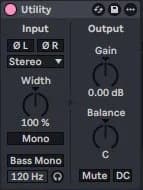
How to adjust the volume of samples in Ableton without clipping
Before adding effects, balance the samples in your Ableton project. Two files can look very different simply because one is stronger. Working with margin makes it easier to compare sounds and prevents each new track from requiring you to correct the entire mix.
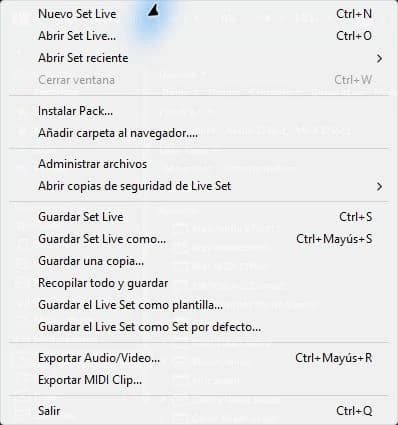
How to choose samples compatible with your project in Ableton
Choosing samples for an Ableton project is solving a musical need. More files do not guarantee a better idea. Before purchasing another library, identify if you are missing attack, movement, texture or a base to build on.
How to import multiple samples to separate tracks in Ableton
When importing multiple samples into Ableton, first decide whether you want a sequence on a single track or simultaneous sounds on different tracks. That decision changes what you can edit and mix later.