How to record vocals in Ableton to a mono track
To record a vocal with a microphone connected to a single input, you typically need a mono input on Ableton. Mistakenly selecting a stereo pair can leave voice on only one side. Set up the signal first and then think about effects.

step by step
- Connect the microphone to your interface following its instructions. Set a moderate initial gain.
- In Ableton, select the audio device and enable the necessary input if it doesn't appear.
- Create an audio track and choose the corresponding mono input in Audio From.
- Use headphones, put together the track and check the meter without going into the red. Avoid listening to direct monitoring and software simultaneously if it causes duplication.
- Record a short phrase and review the file before continuing with a long take.
Guided practice
Record ten seconds of voice at a constant distance. Listen for breathing, background noise, and spikes. Adjust the placement or gain before trying to fix everything with plugins.
Take it to your next session
A Starter Pack can provide a foundation for practicing a vocal take. Check key and tempo, and only use voices and samples that you have rights to use.
Prepare a short take before recording the final one
Record a few seconds with a soft phrase and a more intense one. Listen for noise, distortion, or a distance from the microphone that changes too much. Adjusting this before a long performance saves more time than trying to fix each problem later within Ableton.
Use headphones when the microphone can pick up playback from the speakers. Leave room for louder moments and keep a take without printed effects when you want mixing flexibility. A mono input is suitable for a mono source; Choosing a stereo input does not create a second perspective of the same microphone.
If it doesn't turn out as you expected
A stereo input does not convert a mono microphone into a true stereo recording. If there is a delay when listening to you, check the monitoring and buffering; do not change the position of the clips as a first solution.
PUT THE WORKFLOW TO USE
See Starter Packs
A Starter Pack can provide a foundation for practicing a vocal take. Check key and tempo, and only use voices and samples that you have rights to use.QUICK ANSWERS
Frequently asked questions
KEEP BUILDING
Related production guides

How to clean up a voice in Ableton with cuts and fades
Cleaning up a vocal in Ableton starts with careful editing. You can reduce unnecessary silences and soften cuts without taking away all your breathing or changing the intention of your performance.
Sidechain in Ableton: How to make the kick control the bass
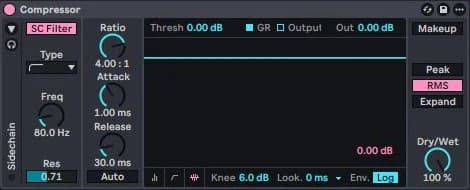
The sidechain allows one signal to control a processor placed on another track. In Ableton, a common use is to briefly reduce the bass when the kick hits. The goal may be clarity or a creative pump; It is best to decide before adjusting.
How to import multiple samples to separate tracks in Ableton
When importing multiple samples into Ableton, first decide whether you want a sequence on a single track or simultaneous sounds on different tracks. That decision changes what you can edit and mix later.