How to freeze tracks to reduce load in Ableton
Freezing a track in Ableton can reduce the processing needed to play instruments and effects. It's a handy tool when a session starts to consume too many resources, but it's a good idea to keep an editable version.

step by step
- Save a new version of the project and locate a track that contributes to the upload.
- Open the context menu of its header and select the freeze option available in your version.
- Wait for the process and play the most demanding section. Observe the load and verify that the result preserves the role of the track.
- Unfreeze when you need to edit parameters that were locked. Don't flatten the single copy if you want to keep the original string.
Guided practice
Freeze a complex instrument track and compare the CPU meter on the same section, with the same active tracks. Don't attribute an improvement to the process if you also changed the buffer or stopped other sounds.
Take it to your next session
Complete projects are useful for learning how to manage resources as well. Review their requirements and work in sections so that your team can reproduce the examples with stability.
Freeze when the musical decision is clear enough
Freezing is especially practical on tracks that consume resources and that you no longer need to constantly modify. Before doing so, listen to the entire pattern and save a version of the Set. If you're still changing notes or presets all the time, you'll interrupt your work by constantly unfreezing.
Start with the clue that causes you the most difficulty and compare the response of the project. Do not confuse freezing with permanently removing the instrument: the recovery flow depends on the operation you choose afterwards. Retains the ability to return to the editable version when collaboration or mixing may still require changes.
If it doesn't turn out as you expected
Command names may vary between versions of Live. Freezing does not solve all disk problems, audio devices or faulty plugins. Identify the bottleneck first.
PUT THE WORKFLOW TO USE
View Ableton projects
Complete projects are useful for learning how to manage resources as well. Review their requirements and work in sections so that your team can reproduce the examples with stability.QUICK ANSWERS
Frequently asked questions
KEEP BUILDING
Related production guides
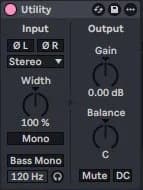
Bass in mono in Ableton: when is it appropriate and how to check it
The bass doesn't have to be completely mono in all Ableton projects. The usual thing is to look for a stable bass foundation and decide separately what to do with its harmonics and effects. Utility allows you to compare both decisions.
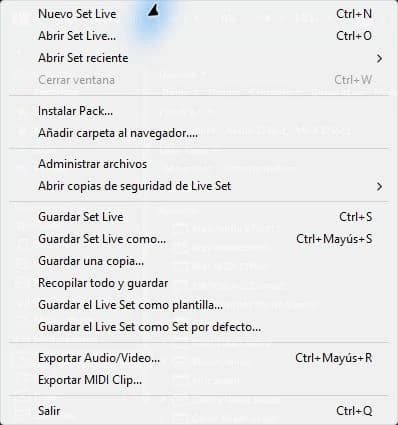
Collect All and Save in Ableton: save project samples
Collect All and Save collects referenced files in the Ableton project folder. It is useful for moving a session, but does not automatically package all possible licenses, plugins, or external dependencies.
How to import multiple samples to separate tracks in Ableton
When importing multiple samples into Ableton, first decide whether you want a sequence on a single track or simultaneous sounds on different tracks. That decision changes what you can edit and mix later.