How to create vocal chops with samples in Ableton
A vocal chop converts vocal fragments into rhythmic or melodic material. In Ableton you can do it with Simpler and MIDI. Creativity does not eliminate the need to have rights to the original recording.

step by step
- Choose your own recording or an appropriately licensed vocal sample.
- Load a short snippet into Simpler and use Slice or prepare multiple snippets based on the phrase.
- Review each cut to conserve useful attacks and avoid clicks.
- Write a pattern with few fragments and adjust their durations. If you change the tuning, check the result in context.
Guided practice
Choose three syllables and create a one-bar call followed by a different response. Leave holes for the battery. Identity can come from rhythm and pauses without needing many effects.
Take it to your next session
A vocal library can provide material for this exercise, as long as its license covers your use. Review the available samples and their conditions before incorporating them into your Ableton projects.
Create a new sentence with few fragments
Select two or three vocal chunks that have a recognizable attack and try them as responses between the main beats. Listen to see if your mix has a rhythmic direction before adding more cuts. You don't need to use the entire original sentence to construct a convincing reason.
Adjust the end of each fragment to avoid unintentional overlaps and compare their levels. If you change the pitch a lot, also listen to how the texture of the voice transforms. Work with your own or authorized material and keep the licensing information for the samples that are part of the final project.
If it doesn't turn out as you expected
Transposing a voice does not automatically turn an out-of-tune phrase into a melody. If a fragment includes multiple heights, the result may be ambiguous. Listen to each chop and decide if it works as percussion or as a note.
PUT THE WORKFLOW TO USE
Explore sample libraries
A vocal library can provide material for this exercise, as long as its license covers your use. Review the available samples and their conditions before incorporating them into your Ableton projects.QUICK ANSWERS
Frequently asked questions
KEEP BUILDING
Related production guides
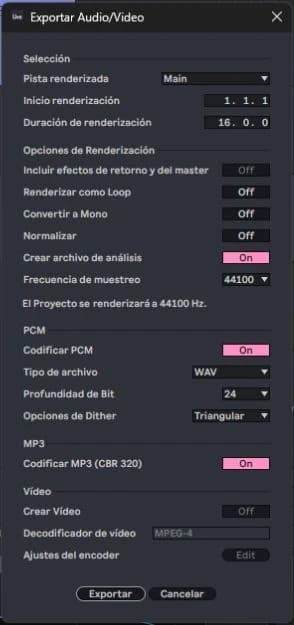
How to export your Ableton project to WAV
Exporting an Ableton project to WAV creates an audio file of a chosen region and output. Before exporting, confirm which version you want to deliver and what it will be used for. A mix to continue working does not need the same adjustments as a specific final delivery.

How to put reverb and delay on vocals in Ableton with returns
Returns allow you to send a part of the vocal to reverb or delay and keep the sound straight to your track. In Ableton it is a clear way to control the environment without losing the definition of each word.
How to change samples in Ableton without rewriting the pattern
Changing a sample without rewriting the beat is easier when the pattern is in MIDI and the sound lives in Simpler or a Drum Rack pad. The MIDI preserves the triggers and you compare different sound sources in Ableton.