How to create rests and stops in Ableton projects
A silence can mark a transition more clearly than another effect. In Ableton you can practice removing elements during a short part of the arrangement and listening to how it changes the arrival of the next section. Space is also part of the rhythm.

step by step
- Select a transition that needs more contrast and save a version of the project.
- Try first removing a single track, such as the kick, for a short interval.
- Listen to what other sounds and queues are still present during that stop.
- Adjust the duration and return of the elements so that the gesture is understood within the phrase.
An exercise for your project
Duplicates an eight-bar section. In the copy, he leaves a small percussive gap before the bass returns. Compare the transition with and without that space, keeping the rest of the tracks identical. This way you can evaluate the arrangement without confusing it with mix changes.
Take it to your next session
An organized project allows you to observe the space between sections. If you want to study structures, review the project catalog and choose one that you can open and navigate without missing dependencies.
What should you listen to?
A clip stop does not always equal absolute silence. The effects can continue to play and create a bridge between sections. Decide whether you want to keep that queue or reduce it: Both options may make sense, but they produce different expectations before the next hit.
If it doesn't turn out as you expected
If the return is weak, check the previous contrast and the position of the elements, not just their volume. If the cut sounds accidental, check the edges and any incomplete sentences. Work on a copy so you can quickly recover for an easier transition.
Ableton Reference
PUT THE WORKFLOW TO USE
View Ableton projects
An organized project allows you to observe the space between sections. If you want to study structures, review the project catalog and choose one that you can open and navigate without missing dependencies.QUICK ANSWERS
Frequently asked questions
KEEP BUILDING
Related production guides
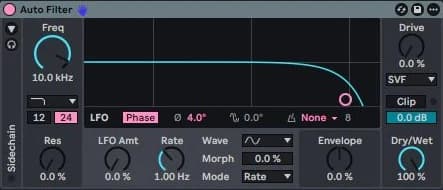
How to Use Auto Filter to Darken Samples in Ableton
Filtering a sample allows you to change the space it occupies without replacing it with another file. In Ableton, an opening or closing filter can help separate sections and make room for a voice or melody. Start with a simple, audible movement.
How to duplicate a clip and create variations in Ableton
Duplicating a clip allows you to keep an idea and develop an alternative without starting from scratch. In Ableton, a useful variation can be very small: removing a beat, changing an accent, or leaving a rest before a new section of the project.
How to import multiple samples to separate tracks in Ableton
When importing multiple samples into Ableton, first decide whether you want a sequence on a single track or simultaneous sounds on different tracks. That decision changes what you can edit and mix later.