How to Compare Effects at the Same Volume in Ableton
A stronger effect may seem better even though it isn't solving anything. Comparing at a similar volume in Ableton helps you decide if a processor brings clarity, movement or character to your samples and projects, rather than being left out by a difference in level.
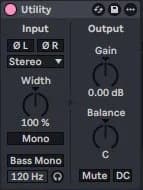
step by step
- Choose a fragment that well represents the sound you are going to process.
- Activate the effect and adjust its output or a later gain stage to bring the level closer to the original version.
- Alternate between both options listening to the same section and keeping the monitoring volume stable.
- Evaluate a specific aspect, such as attack, clarity or duration, before changing another parameter.
An exercise for your project
Test a compressor on a drum and create a comparison that doesn't automatically favor the processed version. Listen to whether the stroke retains its intent and whether the soft parts have changed in useful ways. Then go back to the full mix to decide if you need the effect.
Take it to your next session
Editable projects allow you to study effect chains within a musical context. Check compatibility and use level comparison to understand what each device brings to the table.
What should you listen to?
Comparison does not have to become an endless measurement. Zoom the levels close enough to hear the musical difference and always use the same fragment. When you change the intensity of processing, reconsider the trade-off: the previous balance may no longer be representative.
If it doesn't turn out as you expected
If you can't explain what's improved, save a version without the device. If it only works in solo but makes the whole worse, review your objective. Less processing can make it easier for your project to retain headroom, clarity, and a device chain that you understand when you reopen it.
Ableton Reference
PUT THE WORKFLOW TO USE
View Ableton projects
Editable projects allow you to study effect chains within a musical context. Check compatibility and use level comparison to understand what each device brings to the table.QUICK ANSWERS
Frequently asked questions
KEEP BUILDING
Related production guides
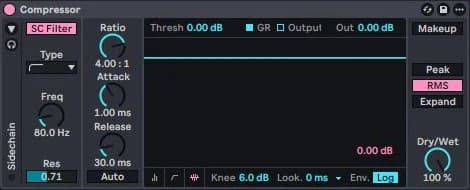
How to adjust attack and release of a compressor in Ableton
Attack and release influence how a compressor responds over time. To learn them in Ableton, use simple percussion and listen to the beginning of each beat and its recovery. You don't need a complex mixing chain to recognize those differences.
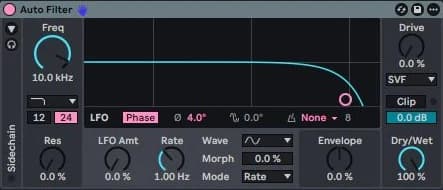
How to Use Auto Filter to Darken Samples in Ableton
Filtering a sample allows you to change the space it occupies without replacing it with another file. In Ableton, an opening or closing filter can help separate sections and make room for a voice or melody. Start with a simple, audible movement.
Bass in mono in Ableton: when is it appropriate and how to check it
The bass doesn't have to be completely mono in all Ableton projects. The usual thing is to look for a stable bass foundation and decide separately what to do with its harmonics and effects. Utility allows you to compare both decisions.