Where to Download Techno Samples: Packs, Loops and One-Shots for Ableton Live
Download techno samples from a source that states the license, file format and exact contents before checkout. A useful pack should let you preview the sound, distinguish loops from one-shots, confirm BPM or key where relevant and understand whether commercial releases are permitted. TechnoPirata's live sample explorer is the safest starting point for material actually available here.
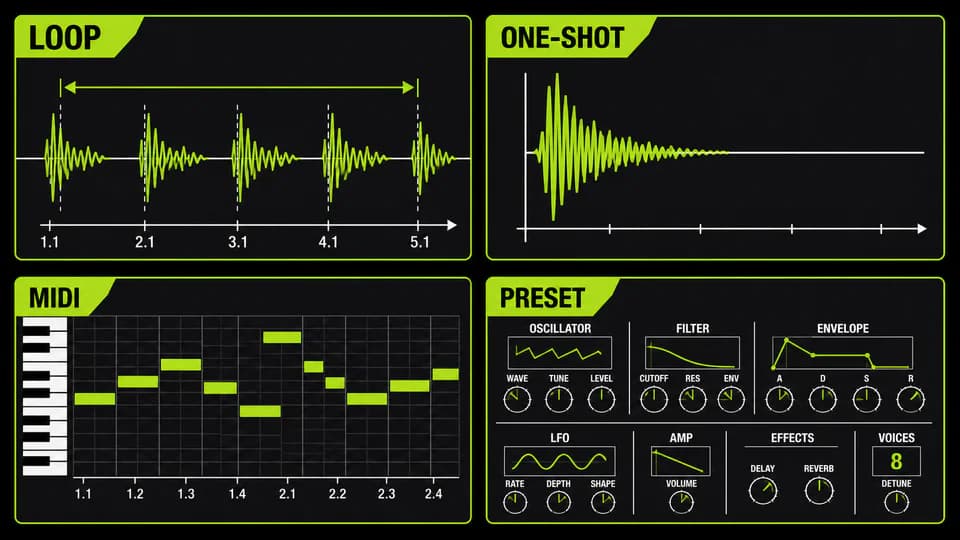
Find legal techno samples and understand what a pack contains
The practical answer to where to download techno samples is to use a producer library, label store or sample marketplace that exposes a real preview and a readable license. Search results containing free download are not proof that a file is legal, complete or safe. Verify who distributes it, whether an account is required, what the archive contains and whether the permission covers a commercial release before the sound enters a project.
Free and premium libraries solve different problems. A legitimate free pack can reveal a creator's recording and editing standard, while a paid pack may offer a larger, more consistent palette and better documentation. Price alone says nothing about usefulness. Audition the transients, tails and noise floor; then ask whether the selection reduces search time for the specific track you are making. If TechnoPirata has no free item, its paid catalogue is never presented as free.
A loop is an audio phrase designed around a defined length and usually a stated tempo. A one-shot is a single kick, clap, hat, stab or effect that you sequence yourself. A stem is a longer printed part from an arrangement. MIDI stores notes, timing and velocity rather than audio. A preset stores settings for a compatible instrument or effect, while an Ableton Rack can combine devices, mappings and chains. Check the manifest instead of assuming every sample pack includes all six.
For drums, prioritize clean envelopes and useful contrast. A techno drum-sample folder should make kicks, hats, claps, rides and percussion easy to audition without hiding hundreds of near-duplicates. Bass and synth loops should state BPM and, when pitched, a reliable key. FX benefit from clear names such as impact, riser, downlifter or atmosphere. MIDI is valuable when the musical idea matters more than the source timbre because notes can be reharmonized and reassigned.
WAV describes a container, not the honesty of the source. A 24-bit WAV file allows more numerical headroom during recording and processing than 16-bit audio, but it cannot repair clipping, noise or an MP3 source converted to WAV. Sample rate also does not certify musical quality. Listen, inspect the waveform and confirm that the archive was exported from an appropriate original. A tidy filename containing 24bit is only a label until the file properties agree.
Royalty-free normally means the licensed sample can be used in a finished composition without paying a royalty for every stream or sale; it does not mean copyright-free, public domain or unrestricted redistribution. Licenses vary. Check whether commercial releases, client work, label releases and content monetization are covered, and whether isolated samples may be shared. Keep the invoice, license text and pack version with the project so future collaborators can verify the source.
| Item | Useful evidence | Warning sign |
|---|---|---|
| Audio | Playable previews and stated WAV properties | Only artwork or vague quality claims |
| Contents | Count or manifest by loops, one-shots, MIDI and presets | No list of included file types |
| License | Readable terms for releases and redistribution | Royalty-free claim with no terms |
| Organization | Clear folders, BPM and key where relevant | Unsearchable names and duplicate files |
| Compatibility | Specific formats and required software | Universal compatibility promise |
Import, organize and transform samples in Ableton Live 12
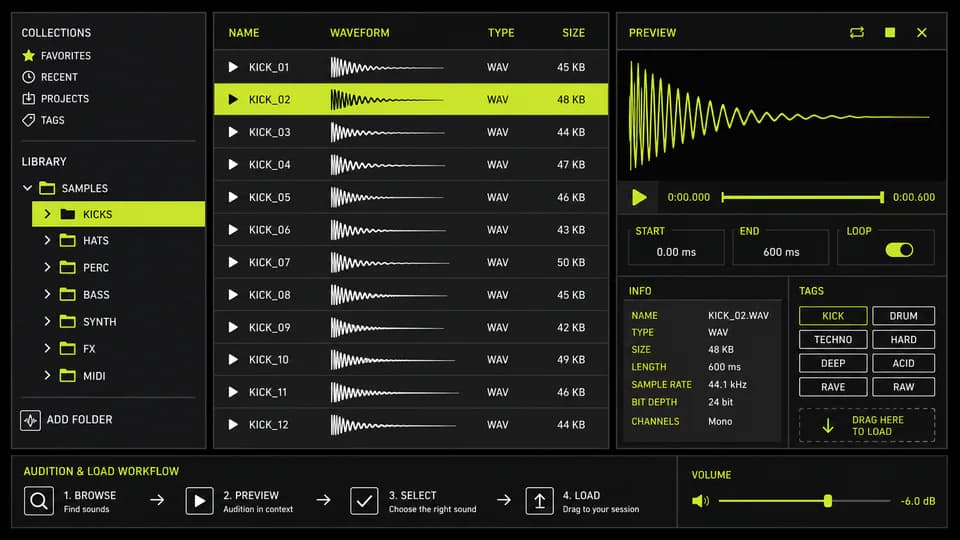
To import samples into Ableton Live 12, keep the downloaded archive in a stable folder, extract it once and add that folder to Places in Live's Browser. Do not drag from a temporary ZIP location and then move the files. Live references external audio by location, so casual reorganizing can create missing-media warnings later. The official Live 12 manual confirms that User Folders can point to sample collections on internal or external drives.
Use a shallow structure that answers a production question quickly: Drums/Kicks, Drums/Hats, Percussion, Bass, Synth, FX, Loops, One-Shots and MIDI. Preserve the original pack folder and create tags or Collections for personal favorites instead of duplicating every file. Live 12 can filter and tag browser content, and expanded browser columns can expose time, key and BPM. A good system supports auditioning in context rather than collecting files indefinitely.
Before a sample enters the arrangement, preview it at the session tempo and near the loudness of alternatives. A louder preview often appears better even when its envelope is less useful. Disable tempo synchronization when judging an original loop's timing, then enable it to test fit. For a kick or hat, listen to the tail and any silent padding. For tonal loops, confirm the key by ear because metadata can be wrong or ambiguous.
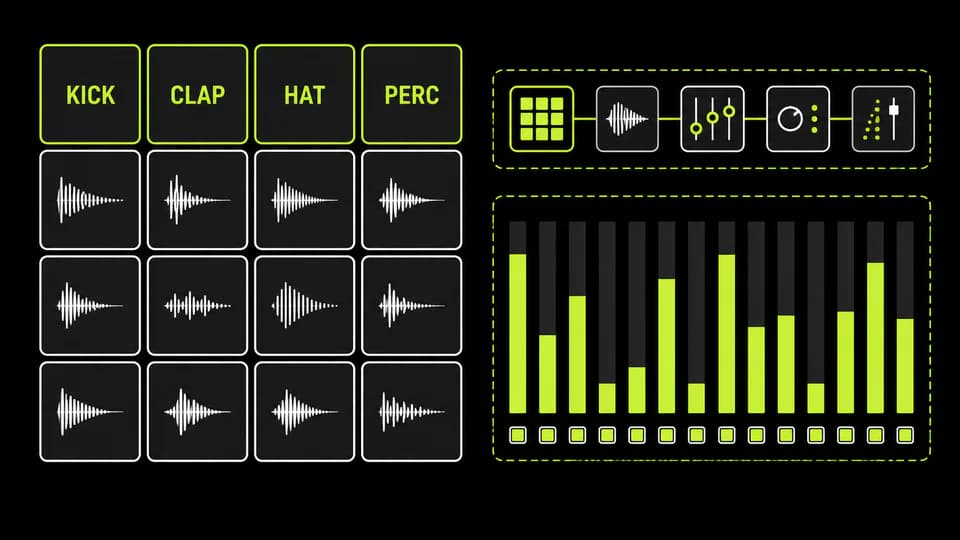
Build a Drum Rack by dragging selected one-shots onto separate pads: kick, clap, closed hat and percussion are a practical first row. Trim start points, set appropriate one-shot playback, adjust gain before processing and group related pads when shared saturation or filtering is useful. Velocity should create musical variation only when the source and device mapping respond predictably. Save the rack in the User Library after its references are stable.
A downloaded loop should be treated as source material, not a finished identity. Slice it to a Drum Rack, rearrange hits, mute one layer, change the envelope, extract a small texture, repitch selected slices or resample a processed pass. Preserve what attracted you—perhaps swing or timbre—while changing phrasing and context. Extreme processing is not mandatory; a meaningful rhythmic edit and original surrounding parts can be more musical than a chain of random effects.
When a project depends on external files, use file management deliberately. Live's Manage Files view can show referenced or missing samples, and Collect All and Save can copy used audio into the Project folder. This makes an archive more portable, but it does not copy third-party plug-ins and does not change a sample license. Keep backups and avoid collecting an entire library into every project; collect only what the Set actually references.
- Audition samples at matched loudness before choosing.
- Use stable folders and tags; do not browse from temporary downloads.
- Record BPM and key only when they are verified and musically relevant.
- Save licenses and receipts beside the production archive.
- Collect used files before transferring a Set to another computer.
Choose the right samples for each techno style and avoid weak packs
Hardgroove samples need rhythmic conversation more than sheer hardness. Look for short kicks, syncopated percussion, toms, shuffled tops and loops with enough space to layer. Raw techno benefits from textured drums and controlled distortion that can still be mixed. Hypnotic techno needs repeatable micro-motifs, restrained tonal loops and evolving noise. Acid production benefits from percussion and FX that leave room for a resonant central line.
Peak-time material often needs immediate transient definition, but a pack full of maximized sounds can leave no room for arrangement or mastering. Compare at reduced gain and check whether layers complement one another. The best hardgroove sample pack for one producer may be wrong for another because the existing kick, monitoring and desired density differ. Choose for the missing role in the current track, not for the largest advertised file count.
Common mistakes include selecting every sound in solo, stacking several full-spectrum loops, ignoring phase at the low end and assuming royalty-free means the raw files can be resold. Another mistake is downloading free techno samples from an unknown mirror and losing the original license. A final one is never committing: endlessly swapping kicks prevents the surrounding bass and groove from being designed around a stable envelope.
Use a simple evaluation session. Load five kicks, five hats and five percussion options, normalize the audition level rather than the files, and build one eight-bar pattern. Remove any sample that requires corrective processing before it contributes. Then test the remaining palette in a bus with conservative saturation. This reveals whether the sounds share a usable dynamic range and whether their noise or tails accumulate.
TechnoPirata's sample explorer is the contextual mid-point for this search because it exposes material that actually belongs to the site rather than inventing a pack for a keyword. Filter and preview the available sources, then open the projects catalogue if you need to study how sound selection behaves inside a complete session. The separate Ableton template download guide explains how to evaluate those project files without repeating this sample-selection checklist.
The final buying checklist is short: confirm the distributor, preview representative sounds, read the license, verify formats, inspect organization, check software requirements and decide which production problem the pack solves. Download only after those answers are clear. A smaller archive that you can remember and retrieve will usually produce more music than a huge unsorted folder whose license and origin are uncertain.
| Style | Prioritize | Leave space for |
|---|---|---|
| Hardgroove | Short drums, toms, syncopation, shuffled tops | Interlocking percussion and bass |
| Raw | Textured transients and controlled grit | Bus processing and headroom |
| Hypnotic | Micro-motifs, subtle loops, evolving atmosphere | Long-form repetition |
| Acid | Supportive drums and transition FX | The resonant lead or bassline |
| Peak Time | Clear attacks and decisive impacts | Arrangement contrast and mastering |
PUT THE WORKFLOW TO USE
Explore Techno Samples
Preview the samples that are actually available in TechnoPirata.QUICK ANSWERS
Frequently asked questions
Where can I download techno samples?
Use a legitimate producer library or marketplace that provides previews, a contents list and a readable license. TechnoPirata's sample explorer shows the sources actually available on this site.
Where can I find free techno sample packs?
Use creator-authorized free releases and verify their license. If a catalogue has no free item, a paid pack must never be presented as a free download.
Are free samples automatically royalty-free?
No. Free describes price; royalty-free describes a license model. Read the terms for commercial releases, client work and redistribution before using the files.
Can I release music made with sample packs?
Usually only when the specific license permits commercial musical works. Keep the license and never redistribute isolated source files.
How do I import samples into Ableton Live?
Extract the archive to a stable folder, add that folder under Places in Live's Browser, preview the files and drag selected audio into a track, Simpler or Drum Rack.
Are 24-bit WAV samples always better?
No. Twenty-four-bit audio provides useful numerical headroom, but source recording, editing, clipping and noise determine practical quality. Converting lossy audio to WAV does not restore detail.
What samples do I need to produce techno?
Start with a kick, hats, a clap or snare, percussion, bass or tonal source and a few transitions. Add only the roles the arrangement genuinely needs.
What is the difference between loops and one-shots?
A loop is a timed phrase intended to repeat; a one-shot is a single event that you sequence. One-shots offer more rhythmic control, while loops can provide performance and texture.
What sample pack works for Hardgroove?
Choose short drums, toms, syncopated percussion and shuffled tops that interlock without filling every frequency or step. Preview them with your existing kick and bass.
How should I organize samples in Ableton?
Keep stable functional folders, add them to Places, use tags or Collections for favorites and preserve the original pack folder, invoice and license.
KEEP BUILDING
Related production guides
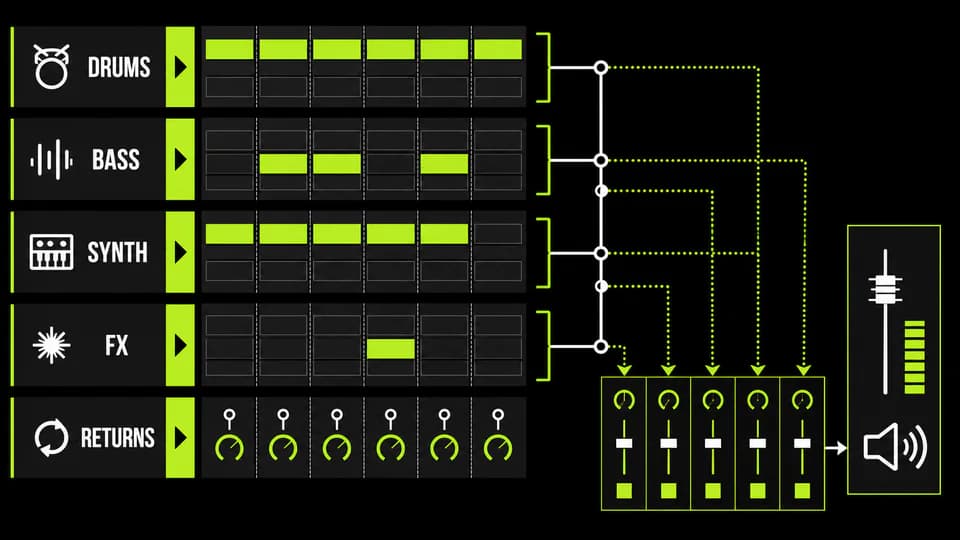
Where to Download Ableton Templates for Techno and House: Complete Live Projects
Download an Ableton template only after confirming the Live version, required plug-ins, included samples, license and whether the archive opens as a complete Project. A strong template exposes arrangement, routing, automation and mix decisions you can inspect. TechnoPirata's real project catalogue is the direct place to evaluate the Ableton sessions currently offered by this site.
Kick and Bass in Techno: Phase, Space and Groove
Understand the relationship between techno kick and bass by assigning frequency roles, checking phase, shaping envelopes and using sidechain movement that supports the groove instead of flattening it.
Why Ableton Techno Templates Improve Production
Learn how a carefully designed Ableton techno template removes repetitive setup, protects creative focus and turns strong loops into finished arrangements without making every track sound the same.