Why Ableton Techno Templates Improve Production
Learn how a carefully designed Ableton techno template removes repetitive setup, protects creative focus and turns strong loops into finished arrangements without making every track sound the same.
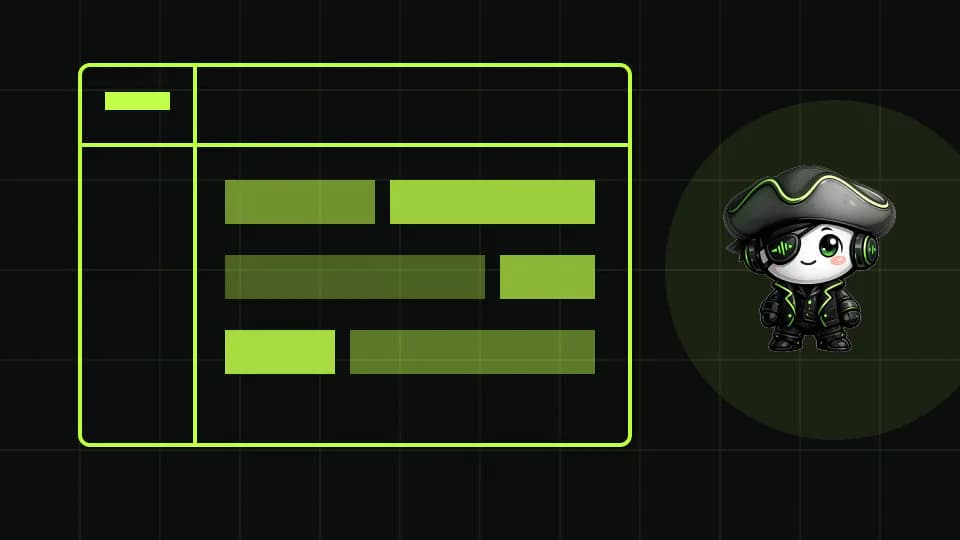
Remove setup work without removing creative decisions
Ableton techno templates are valuable because they start a session with verified routing, gain structure and monitoring tools already in place. Return tracks, drum groups, sidechain inputs, reference channels and safe master headroom can be prepared once instead of rebuilt every night. The saved minutes matter, but the larger benefit is cognitive: the first musical idea arrives before technical setup interrupts it.
A template should contain decisions that remain useful across projects, not a finished track waiting for new notes. Keep the default channels empty or deliberately neutral. Label the purpose of each bus, set conservative levels and remove devices that do not solve a recurring task. The result is a reliable studio environment rather than a shortcut to somebody else's sound.
- Pre-route drums, percussion, synths and effects.
- Keep a level-matched reference channel ready.
- Leave sound choice, rhythm and arrangement open.
Build a modular template around the techno signal flow

A useful Ableton template mirrors the way techno is actually mixed. Separate kick, bass or rumble, drums, tops, musical elements and effects into clear groups. Create only the return chains you repeatedly trust, such as a short room, a filtered dub delay and a longer atmosphere. Put spectrum, loudness and mono checks on a disabled monitoring rack so measurement never changes the sound.
Modularity keeps the session fast. A hardgroove idea may need more percussion lanes, while a hypnotic track may need modulation and resampling channels. Save those specialist racks separately and load them only when the arrangement asks for them. The core template remains light, predictable and quick to open on any production machine.
Use constraints to finish more arrangements

Templates become commercially useful when they support completion. Add locators for a DJ-friendly intro, first statement, development, main section, reset and outro, but treat them as prompts rather than fixed bar counts. A visible arrangement map makes it easier to notice when a loop has no contrast, when tension arrives too late or when the outro does not provide enough mixing space.
Limit the opening palette to a few proven instruments and processors. Fewer initial options improve commitment, while saved audition and export racks remove repetitive administration later. If every session still grows into an unmanageable channel list, the template is too permissive and should be simplified before adding another device.
Keep the template original, current and measurable

Originality comes from source material, rhythm, modulation, resampling and arrangement decisions, not from rebuilding utility routing. Replace default sounds, vary groove rules and print creative processing so each track develops its own identity. Never leave signature loops or melodic phrases in the starting file unless the template belongs to one specific project.
Review the template after several completed tracks. Remove unused chains, update broken mappings and compare session startup time, CPU use and final export errors. The best Ableton techno templates become smaller as the producer learns which systems genuinely support the work. A maintained template is a production instrument; an abandoned one is only clutter.
PUT THE WORKFLOW TO USE
Study complete Ableton workflows
Open TechnoPirata projects to inspect practical routing, arrangement and processing decisions.QUICK ANSWERS
Frequently asked questions
Do Ableton techno templates make tracks sound the same?
Only when they contain too much musical content or rigid processing. Keep utility routing consistent while changing sources, groove, modulation and arrangement for every track.
What should a techno production template include?
Start with labeled groups, conservative gain staging, a few trusted returns, sidechain routing, reference monitoring and an export checklist. Add specialist racks only when needed.
How often should an Ableton template be updated?
Review it after several finished productions. Remove unused devices, repair mappings and keep only systems that reduce errors or accelerate repeatable work.
KEEP BUILDING
Related production guides

Hypnotic Techno Arrangement in Ableton: Build Tension
Structure a hypnotic techno arrangement with evolving repetition, controlled energy changes and automation that supports a long DJ-friendly mix.
How to Build a Hardgroove Kick in Ableton Live
Build a hardgroove kick that stays physical on a club system by separating transient, body and rumble before controlling the final low-end bus.

How to use Simpler to play a sample in Ableton
Simpler turns a sample into an Ableton instrument. MIDI notes control when it is triggered and, depending on the mode, its pitch and duration. It's a convenient way to play a sample without duplicating many audio clips.