How to prepare a final listen of your project in Ableton
Before finishing a version, listen to the entire project without dwelling on every detail. This pass allows us to recognize problems of structure, entrances and endings that a short loop does not reveal. In Ableton, separate listening from editing so you don't lose the big picture.
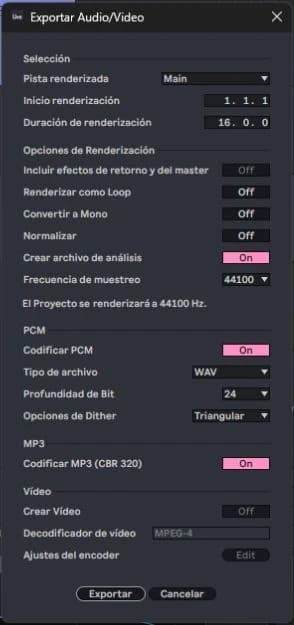
step by step
- Save a version and play the track from start to finish.
- He notes few concrete problems with his approximate location, without correcting them immediately.
- Sort the notes according to their impact: structure, obvious errors, and secondary details.
- Fix the priority and export an identifiable reference when the release is ready.
An exercise for your project
Limit the first list to three observations: a confusing transition, an entrance that is too strong, and a cut ending. Solve those tasks before looking for ten more. This method prevents project closure from becoming an endless chain of small, directionless changes.
Take it to your next session
Editable projects can show how inputs, outputs, and transitions are resolved. Check compatibility and listen to their entire walkthrough before studying the details of a section.
What should you listen to?
A final listen does not prove that the theme will work the same on all systems. If you have other ways to play it, use them to detect important differences, while maintaining a reasonable volume. Keep a previous reference to check that the corrections have not lost the character you wanted to maintain.
If it doesn't turn out as you expected
If each pass produces a completely new list, check to see if the target is defined. Maybe you are changing your intention instead of correcting mistakes. Distinguish a new creative version from a repair and save both when useful, without overwriting the only state you already considered finished.
Ableton Reference
PUT THE WORKFLOW TO USE
View Ableton projects
Editable projects can show how inputs, outputs, and transitions are resolved. Check compatibility and listen to their entire walkthrough before studying the details of a section.QUICK ANSWERS
Frequently asked questions
KEEP BUILDING
Related production guides

How to continue after your first projects in Ableton
After completing several ideas in Ableton, the next step is to recognize which part of the process needs practice. Repeating everything from scratch without a goal can keep the same problems. Use your finished projects as a reference to decide which skill to work on with the next samples.
How to study a purchased Ableton project without copying it
An Ableton project can serve as study material when you use it to understand decisions. The idea is to observe how a session works and then apply what you learn to your own work. Keep an original copy and respect the conditions of use of the product.
How to export your Ableton project to WAV
Exporting an Ableton project to WAV creates an audio file of a chosen region and output. Before exporting, confirm which version you want to deliver and what it will be used for. A mix to continue working does not need the same adjustments as a specific final delivery.